Moving from “Products” to “Lifelong Trust”

We Don’t Promise Zero Problems.
We Promise Absolute Solutions.

Mobility devices go through real life: airports, sidewalks, trunks, ramps, daily errands, and family trips. Things can occasionally loosen, wear down, or need adjustment. Kerdom Care Transparency Program™ shows how we respond when support matters most.

We do not build trust by hiding issues or pretending every ownership story is perfect. We build trust by publishing real resolutions, supporting owners in public, and making the post-purchase journey clear for seniors and their families.

Warranty5-Year Care
Response16-Min Avg
Trial60-Day Free
Community15K+ Owners

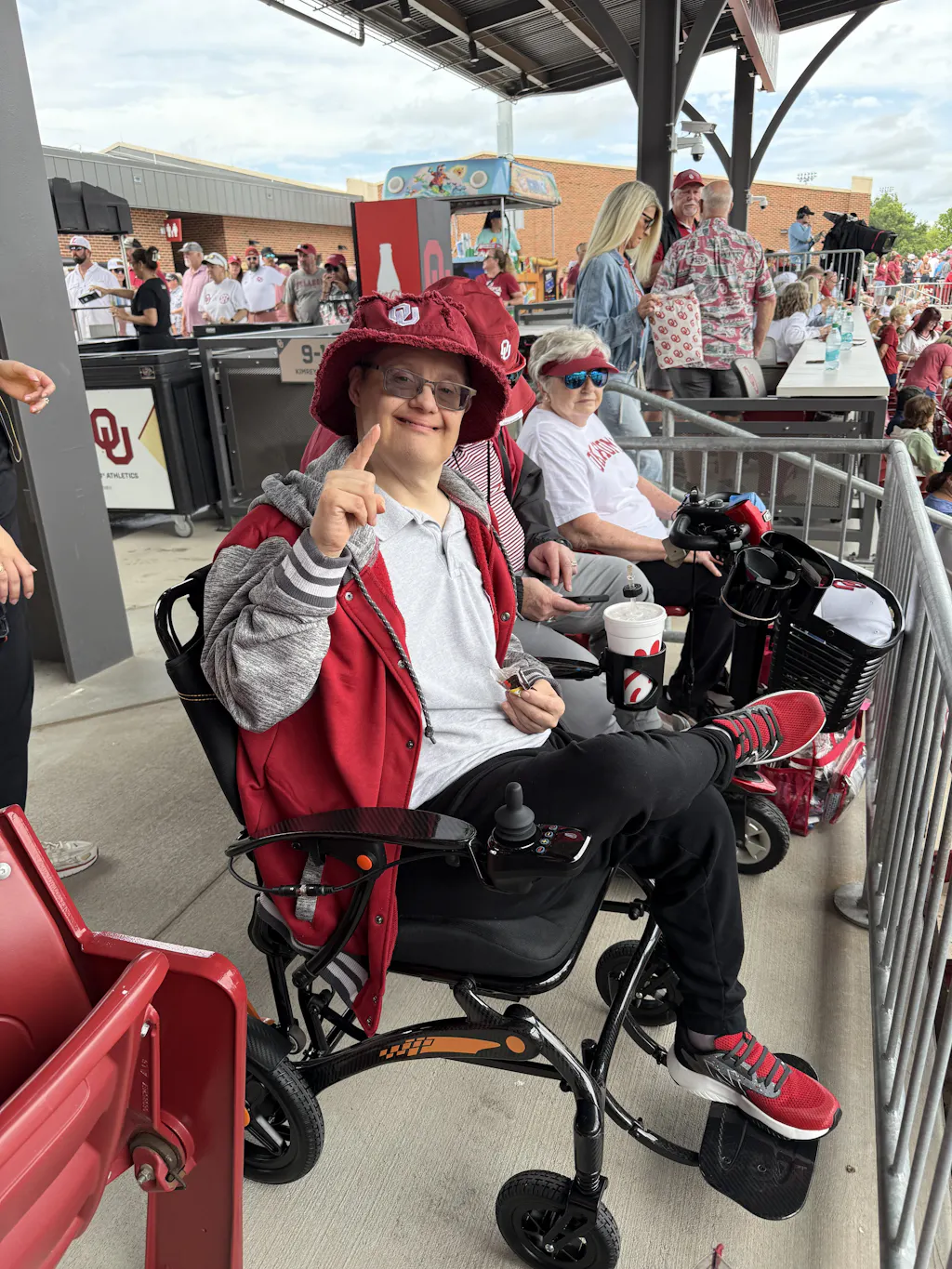
“When my mother’s joystick acted up before our trip, Kerdom solved it in 48 hours. That’s when I realized they aren’t just selling chairs; they sell freedom.”

— Sarah K., Caregiver Daughter
Module 01: Real Support Emails

Real Customer Emails. Real Resolutions.

A support promise is only meaningful when customers can see what happens after something goes wrong. These two verified service threads are recreated below in a clean English interface for US seniors and adult children, with the original long email screenshots available as clickable evidence.

Why this builds trust

We do not hide uncomfortable moments. The first case shows a customer questioning us directly. The second case shows an owner helping us improve the product. Both stories prove that Kerdom support is not scripted; it listens, corrects, and follows through.

No argument when we miss somethingFree replacement when appropriateOwner feedback reaches product teams

Have an active issue right now?

Our team is standing by. You do not need to jump through hoops. Tell us what is wrong and we will help you move toward a solution.

Kerdom Support Mailbox • Real Support Emails
Case 01

Anti-Tip Wheel Clip: We made it right.

From initial confusion to customer frustration, then apology, free replacement, and UPS tracking.

Vivian (Kerdom Support)Mar 13, 2026

Dear Customer, thanks for calling. I am not quite sure which part you are referring to. Could you provide us with a picture? We would be happy to help you.

Charles WhittingtonMar 14, 2026

The C-shaped clip is used to install the anti-slip wheels, figures 11–12 in the instruction manual. I am sorry, I do not know how to send a picture.

Kevin (Kerdom Support)Mar 16, 2026

We think we know which part. Could you confirm if the part in the picture is the one you want? If so, we can sell you a pair for $19.99.

Charles WhittingtonMar 16, 2026

How can you sell me a pair when you did not give me a pair to begin with? My manual said if there was a part missing to let you know.

Vivian (Kerdom Support)Mar 17, 2026

Sorry for the inconvenience. Please check if the address is correct. We will arrange the replacement for you free of charge.

Charles WhittingtonMar 17, 2026

Yes ma'am, everything is correct. Thank you.

Vivian (Kerdom Support)Mar 19, 2026

Thank you for your response. Here is your UPS tracking number. You will receive it very soon.

Original Charles Whittington support email thread screenshot Open Original Email EvidenceLong screenshot • Click to zoom, scroll, and read the full Charles thread. View Proof

Core trust point

We made a fulfillment mistake, but we did not argue with the customer. We apologized, corrected the issue, shipped the missing part for free, and provided tracking.

Case 02

Charger Issue: A technical owner helped us improve.

From professional diagnosis to free charger replacement, product feedback, and a happy final confirmation.

Mark PartheMay 12, 2026

I put the charger on last night but the chair did not charge. The charger light stayed red and never turned green. I am a radio broadcast engineer, so I tested the charger and found no output voltage.

Ariana (Kerdom Support)May 13, 2026

Thank you for your detailed feedback and for confirming the issue. We sincerely apologize for the inconvenience this charger has caused. Could you confirm the wheelchair model and shipping address? Once confirmed, we will ship a new charger.

Mark PartheMay 13, 2026

Here are some pictures. For future designs, it would be nice to have the foot bar fold under the seat. That way, when it is up, your legs do not hang over the bar.

Ariana (Kerdom Support)May 14, 2026

We will arrange a replacement charger for you. The tracking details should be available within 1–2 days. Thank you for your valuable suggestion about the footrest. We will share it with our product department.

Ariana (Kerdom Support)May 16, 2026

Dear Mark, the package is on its way. We are glad to send you a new replacement charger. Thank you very much for your understanding and support.

Mark PartheMay 16, 2026

The address is correct. She is getting better with the chair.

Ariana (Kerdom Support)May 17, 2026

Dear Mark, the replacement charger should be available within 1–2 days. And I will help you with anything you need further help with.

Mark PartheMay 17, 2026

Sounds good. I modified the foot rest. Wife is only 5'3", so it works for her short legs.

Ariana (Kerdom Support)May 17, 2026

Mark, thank you so much. If a perfect chair is produced in the future to fit your wife comfortably, I hope she uses it normally and comfortably.

Mark PartheMay 17, 2026

Charger came today. Works perfect. Looks like a slight design change. Many thanks.

Original Mark Parthe charger support email thread screenshot Open Original Email EvidenceLong screenshot • Click to zoom, scroll, and read the full Mark thread. View Proof

Core trust point

This is a higher-value brand interaction: Mark was not treated only as a buyer. His diagnosis helped us solve the issue, and his foot-bar idea became product feedback.

Module 02: Community Support In Action

Solved In Community. Unfiltered. Transparent.

The Kerdom Owners Group is not only a place for travel photos. It is a public support center where owners ask real questions, community members contribute practical answers, and the brand can show up openly.

Showing 6 of 6 cases

JM

Jennifer Musto

April 15 • Kerdom Member Group

Solved In Group
Model: DX07Armrest ExtensionStructural

“Widen DX07 armrests? I need to install the armrest extensions. I cannot untighten the upper screws to be able to install them. Is there a trick to it?”

Resolution: Owners explained that the factory-tightened bolts need extra leverage. A socket Allen wrench with a ratchet helped loosen the bolts, and Jennifer confirmed that the armrest extenders were installed successfully.

Real community proof: The first screenshot captures the original DX07 armrest question and the circled mounting point; the second screenshot captures the owner-to-owner troubleshooting thread and final confirmation.

Identify tight upper screwsUse socket Allen wrench + leverageInstall armrest extenders successfully
DX07 armrest extension support post with circled screw area
DX07 armrest extension question with the exact installation point highlighted.
DX07 armrest solution comments confirming socket Allen wrench and successful installation
Community members recommend leverage; the owner confirms the extenders are installed.
DM

David Munneke

May 19 • Kerdom Member Group

Solved In Group
Model: DX05Wheel / TireRepair Guidance

“I have a dx05. I am trying to take off the wheel. I got the nut and two washers off, but the wheel does not seem to want to slide off the spinal. Any ideas?”

Resolution: The owner reported that stronger taps with a mallet helped remove the wheel. KerdomMobility also responded with safe repair guidance and noted that a reference video had been sent by email.

Real community proof: This case replaces the previous general outdoor-use card with a more specific DX05 tire/wheel troubleshooting example, showing both community self-help and brand after-sales follow-up.

Wheel would not slide offGentle mallet tapping suggestedRepair video shared by support
DX05 tire and wheel removal support discussion with Kerdom after-sales guidance
DX05 wheel/tire removal issue, owner update, and Kerdom after-sales guidance in one thread.
MD

Melissa G. Dunton

April 9 • Kerdom Member Group

Owner Experience
Model: DX05User ExperienceOutdoor Comfort

“My husband and I recently purchased the Kerdom chair, and he loves his new chair. He can handle the rough terrain outside of our home, and he claims the chair is much more comfortable than the less expensive model we had before.”

Experience highlight: This owner story adds a positive proof point to the support module: outdoor use over grass, gravel, and uneven paths, plus comfort feedback on seat cushioning and smooth ride quality. Community comments and KerdomMobility's response reinforce real-world satisfaction and ongoing brand engagement.

Real community proof: The first screenshot captures the outdoor riding scene and owner praise; the second screenshot captures community comments, long-term owner feedback, and KerdomMobility's acknowledgement of the customer's experience.

Outdoor terrain use shownComfort and seat cushion praisedBrand response reinforces trust
DX05 user experience outdoor terrain post
Outdoor riding and comfort experience
DX05 user experience comments and KerdomMobility response
Community comments and brand response
JB

Jimmy Boone

April 9 • Kerdom Member Group

Solved In Group
Model: DX08Power FunctionVoice / Light Controls

“I have a DX-08. It does not have enough power to go up a two inch high ramp, and I also need instructions to turn off the talking wheelchair and use the light.”

Resolution: Community members separated the concerns into actionable steps: charge fully during the first-use period, adjust speed settings, hold the “+” button to turn off voice prompts, and push the horn button twice to activate the light. The owner confirmed the instruction worked.

Real community proof: The screenshot preserves the full context: DX08 power concern, voice-command frustration, light-control question, and the community response that solved the operation issue.

Fully charge before first-use range testingUse “+” speed control guidanceVoice off + light sequence confirmed
DX08 power function, voice command, and light control support thread
DX08 power and operating-function discussion with confirmed voice/light solution.
DN

Debbie Sims Nelms

April 13 • Kerdom Member Group

Solved In Group
AccessoryCupholder InstallDaily Convenience

“Cupholder problem solved.”

Resolution: The owner shared a practical installation result showing the cupholder mounted beside the back storage area, turning a small accessory question into a visual self-service reference for other families.

Real community proof: This visual case adds a lower-friction accessory-install scenario, helping shoppers see that small daily-use questions can also be answered by the owner community.

Accessory placement clarifiedMounted beside rear storage areaPhoto proof shared for other owners
Cupholder installation solved with mounted cup holder photos
Cupholder installation result shown from multiple angles as a practical owner reference.
RA

Rizwan Appees

May 20 • Kerdom Member Group

Controller Case
Model: DX04Controller / JoystickDiagnostic Support

“Wheelchair stopped working. Battery is fully charged. Already set to drive mode. It responds in non-English language. Wirings look connected. Model: DX04.”

Resolution: The community discussion narrowed the issue from battery charge and wheel-lock engagement toward a controller-related diagnosis. The owner reported moving past the language issue but then receiving three consecutive beeps, while KerdomMobility responded with an after-sales assessment and replacement-part pathway.

Real community proof: The first screenshot shows the DX04 controller status and original stopped-working report; the second screenshot captures follow-up troubleshooting, including language issue, repeated beeps, motor engagement check, and KerdomMobility's controller-related response.

Battery and drive mode checkedController beep pattern identifiedAfter-sales diagnosis provided
DX04 controller stopped working community post with joystick photo
Original DX04 controller issue report
DX04 controller troubleshooting thread and KerdomMobility response
Follow-up diagnosis and controller-related support path
MODULE 03 · LIVE SERVICE METRICS

Real Support. Real Results.

See how Kerdom supports real customers every month through transparent service metrics, community engagement, and documented resolutions.

Updated Monthly • Based On The Last 30 Days

Monthly Support Transparency Report

Here's how Kerdom supports real customers every month. No scripts. No hidden processes. Just transparent service metrics.

Live
Average First Human Response16 Minutes

Real support specialists. No endless chatbot loops.

Live
84Replacement Parts Delivered

Helping customers stay mobile without long downtime.

Live
91%Issues Resolved Within 48 Hours

From first contact to confirmed resolution.

Live
327Owner Questions Answered

Publicly answered in our owner community.

Live
22Backup Remotes Provided

Keeping customers moving when replacements are needed.

Why We Share This

Most mobility brands talk about products. We believe customers deserve to see how support actually works after the purchase.

Verified Through:

Verified by real customer emails, community support cases, replacement logs, and internal service records.

Customer Emails
Community Support Cases
Replacement Logs
Internal Service Records
Module 05: The Lifelong Companionship Journey

What Happens After You Buy?

Buying a mobility device is a major decision. Kerdom care does not end when the package arrives. This visual journey reduces uncertainty for both the senior user and the adult child making the purchase, showing how support continues from the first unboxing to long-term community companionship.

Wheelchair unboxing and first setup guidance Setup Guidance
1
Step 01 • Delivery & SetupDay 1 after delivery

Day 1: Unboxing with Confidence

Your wheelchair arrives 95% pre-assembled. We don't leave you with a pile of confusing metal parts. The moment your package is delivered, we send a direct unboxing video walkthrough and an SMS checklist. From box to sidewalk, we ensure your parent's very first ride is absolutely perfect, safe, and stress-free.

💡 “It literally took us 8 minutes from cutting the tape to driving down our hallway. The video guide made it so simple.” — Arthur M., Caregiver Son
Kerdom DX06 comfort adjustment visual for Day 7 ownership support Daily Confidence
2
Step 02 • Usage Check-InDay 7 ownership support

Day 7: Adjusting to Your Comfort

We proactively check in to help with joystick sensitivity, turning radius, footrest fit, and daily-use confidence so the chair fits the user’s lifestyle.

Comfort reviewControl tuningHome-fit guidanceCaregiver clarity
“Support helped my mom drive with more confidence.” — Clara S.
Kerdom wheelchair travel-ready guidance for flying with a mobility device Travel Ready
3
Step 03 • Travel & Care TipsMonth 1 readiness

Month 1: Ready for Adventure

Owners receive practical travel and maintenance guidance, including battery care, storage, airport preparation, and seasonal checks.

Battery careAirport checklistStorage tipsMaintenance reminders
“The airport preparation guide removed the stress.” — James L.
Live support video call for senior mobility product troubleshooting Live Walkthrough
4
Step 04 • US Support & Live WalkthroughAnytime support

Anytime: US Support & Live Walkthrough

If something goes wrong—whether a wheel gets caught in a sidewalk crack or a controller knob goes missing—we respond in an average of 16 minutes. We don't hide behind chatbots. We ship free replacement parts directly from our US warehouses and connect you with a US-based technician via a live video walkthrough. If a local repair is needed, we dispatch a technician directly to your home.

💡 “Our charger stopped working before our cruise. Kerdom overnighted a new charger to our hotel in Miami. That is world-class service.” — Sarah K.
Senior and caregiver using online community resources for ongoing support Risk-Free Trial
5
Step 05 • 60-DAY RISK-FREE TRIALDay 60: Worry-Free Return & Home Pickup

Day 60: Worry-Free Return & Home Pickup

We want your parent to test their wheelchair in their own home, on their local sidewalks, and in their daily life. If it's not the perfect fit, we make returns simple and respectful. Kerdom will arrange a professional curbside pickup via FedEx or UPS Freight directly at your address—no need for you to lift or ship a heavy unit yourself. Watch our quick video to see how simple we make return pickups.

💡 “We were worried about returning such a heavy box, but FedEx Freight showed up right at our curb and loaded it up. So smooth!” — Harold M.
From setup to travelCustomers see what happens after the box arrives, not only what happens before checkout.
From support to resolutionClear diagnosis, replacement guidance, and live walkthroughs make problems feel solvable.
From buyer to owner familyCommunity access turns one purchase into long-term trust and support-generated content.

US-Based Service Workflow

Real Service Support Behind a More Confident Return

Large mobility-device returns require more than a shipping label. This workflow section helps customers see the hands-on warehouse intake, repair-bench review, and team handling that support a clearer VIP return experience.

  • Warehouse-style intake helps returned products move through pickup, labeling, and receiving more smoothly.
  • Hands-on inspection supports transparent next steps after the product reaches the service location.
  • VIP return handling is designed to reduce uncertainty for seniors, caregivers, and family buyers.
Purchase Confidence Checklist

Turn trust questions into clear verification steps.

Before buying an online mobility product, shoppers should be able to verify the brand, understand the product, check support policies, and confirm what to do if something needs attention after delivery.

Step 01 · Fit Check
Measure the chair against real life.
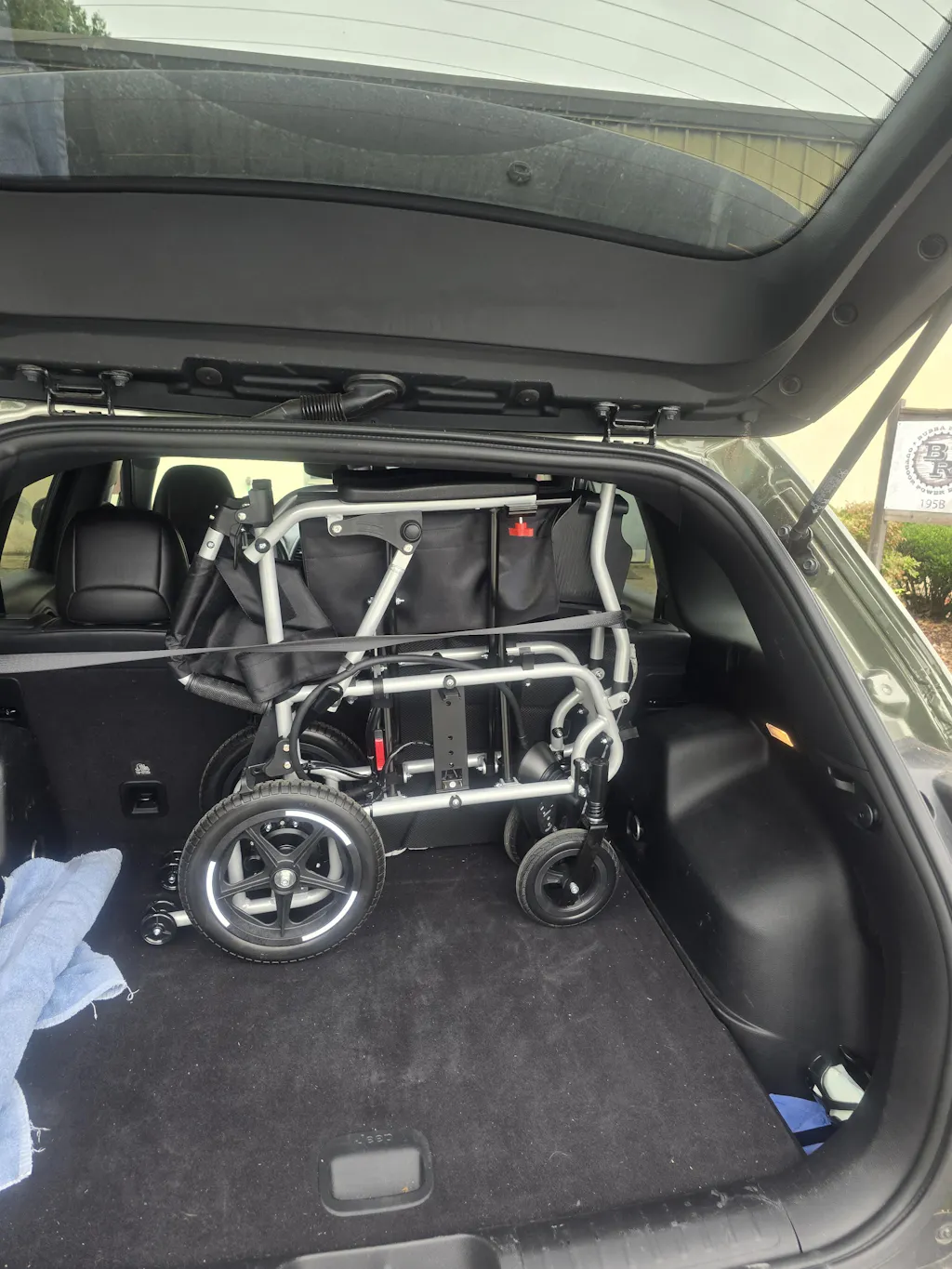
Seat width and capacityFolded size and trunk fitRange and battery option

Model Specs Fit

Question to resolve: Will this chair fit the user, vehicle, home space, and daily route?

Kerdom detail to verify:
  • Chair weightDX04 lists 33 lbs without battery.
  • CapacityListed support capacity is 350 lbs.
  • Seat width17.5-inch seat width for fit checking.
  • RangeUp to 15-mile range for daily-route planning.
  • BatteryAirline-approved 12Ah lithium battery option.
Before checkout: Match seat width, weight capacity, folded size, range, and battery option against the user’s body size, trunk space, travel plans, and longest daily route.
Compare Models
Step 02 · Coverage Check
Confirm what is covered after purchase.
Official-store eligibilityFrame and core componentsOrder number saved

Warranty Coverage

Question to resolve: What parts are covered if a major component has a manufacturing defect?

Kerdom detail to verify:
  • FrameEligible products include up to 5 years for frame/structure.
  • Core partsMotor, controller, and battery manufacturing defects have 5-year coverage.
  • MechanicalSeveral mechanical parts receive 2-year coverage.
Before checkout: Buy through the official store, save the order number, and read exclusions such as misuse, unauthorized repair, collision damage, or third-party parts.
View Warranty Details
Step 03 · Return Check
Know the return path before delivery.
60-day windowPhoto/video proofFees by return reason

Return Costs & Proof

Question to resolve: What happens if the chair arrives damaged, defective, or simply does not fit expectations?

Kerdom detail to verify:
  • WindowReturn policy states a 60-day window from delivery. Free pickup at your doorstep via FedEx. The Seller will cover the applicable shipping costs.
  • Damage caseManufacturer defects or significant transit damage may qualify for refund or replacement.
  • Proof timingReport qualifying issues within 60 days with photo/video proof.
Before checkout: Read return categories, keep packaging and accessories, test indoors when possible, and document any issue with clear photos or videos.
Read Return Policy
Step 04 · Delivery Check
Track the large-item delivery process.
Continental U.S. deliveryTracking emailCarrier and warehouse info

Shipping & Tracking

Question to resolve: Can the customer confirm delivery area, shipment visibility, and carrier information before waiting for a large item?

Kerdom detail to verify:
  • Delivery areaFree delivery in the Continental U.S.
  • ProcessingIt usually takes us 24 hours to process your order, provided all items are in stock. Please note that this does not include holidays and weekends.
  • Delivery time(1-5D)1-5 working days.
  • Warehouse2 US warehouses (California Warehouse + New Jersey Warehouse) have you covered—local shipping gets your order to your door fast.
Before checkout: Confirm the shipping address is within the delivery area, check the product page delivery claim, and watch for the tracking email after shipment.
Check Shipping Info
Step 05 · Setup Check
Review setup before the box arrives.
Exact model manualFolding and charging stepsCaregiver-ready operation

Manuals & Setup Guidance

Question to resolve: Will the buyer or caregiver know how to assemble, fold, charge, and operate the chair safely?

Kerdom detail to verify:
  • ManualsFree user manuals are available for wheelchair models including DX07, DX04, and DX05.
  • Setup helpManual page links to installation tutorials.
  • Customer viewManual page also links to customer experiences.
  • Video sourceTutorial references are available through the @kerdom.office YouTube channel.
Before checkout: Download the exact model manual, review folding and battery steps, and confirm whether the user or caregiver can manage the chair weight.
View User Manuals
Step 06 · Support Check
Save the support route before you need it.
Email and phone supportOrder and model detailsPhotos/videos for cases

Support Access

Question to resolve: Who should the customer contact for parts, setup, warranty, return, or troubleshooting questions?

Kerdom detail to verify:
  • Emailsupport@kerdom.com is listed for customer support.
  • Phone+1(775)572-5299 is listed on the contact page.
  • Contact formCustomer-service form, open hours, and a U.S. address are provided.
  • Case proofWarranty process asks for order number, model name, issue details, and clear photos/videos.
Before checkout: Save the support email and phone number, keep the order confirmation, and prepare photos/videos if warranty, return, missing-part, or troubleshooting help is needed.
Contact Support
Module 06: Frequently Asked Questions

Answering Your Toughest Questions

No sugar-coating. No dodging. These are the questions seniors and caregivers ask before buying a power wheelchair or mobility scooter online.

Because real trust does not come from pretending every product experience is perfect. Mobility products live in real homes, airports, sidewalks, ramps, and trunks. We believe customers deserve to see how a brand responds when something needs attention.

Customers contact support with order details, product model, photos or video, and a description of the issue. Our team diagnoses the case, confirms coverage, explains the next step, and arranges the appropriate replacement or support path when applicable.

Many Kerdom travel models use removable lithium batteries designed with travel in mind. Customers should always verify the exact model, battery specification, and airline requirements before flying, because airline policies can vary.

The 60-day trial is designed to reduce purchase anxiety. Families can evaluate comfort, turning radius, transport, and home fit in real life. If the model is not the right fit, Kerdom support can explain the return or exchange process.